
Industrial connectivity, simplified.
Monitor production in real time, from every machine you run. One agent connects nearly every PLC and CNC, driving live production monitoring, condition-based maintenance, and AI you can trust, with clean, contextual data flowing in minutes.
no gateway server. Runs on every OS.
Where it fits
From PLC to the Cloud
Your equipment speaks dozens of industrial protocols. Your ERP, CMMS, and BI tools speak none of them. MAJiK IoT Connect is the first half: it streams real-time machine operating data from the shop floor into MAJiK Visual Factory, where it becomes the intelligence that finds your untapped capacity, and flows on into the systems you already run.
Your equipment
Machining & fabrication
Plastics
Packaging & end of line
Lines
Process & utilities
Sensors
Every machine already knows its own condition: temperatures, speeds, cycle counts. Each speaks its own protocol.
MAJiK IoT Connect
One small agent on a VM or industrial PC. It reads every machine, gives the raw data meaning, and publishes it up to the cloud.
Cloud
Your clean, contextual data lands in MAJiK Visual Factory and flows on to your ERP, CMMS, BI tools, and more.
MAJiK IoT Connect is designed to work seamlessly with MAJiK Visual Factory. Real-time machine operating data from the shop floor is what unlocks untapped capacity, holds quality to spec, and grounds AI you can trust. See what MAJiK Visual Factory does with it.
What teams do with real-time machine operating data
Connectivity is the means. These outcomes are what it is for.
Follow any of them for the workflow, the proof, and the numbers.
See it work
From the box on your network to clean, contextual data, all in one app.
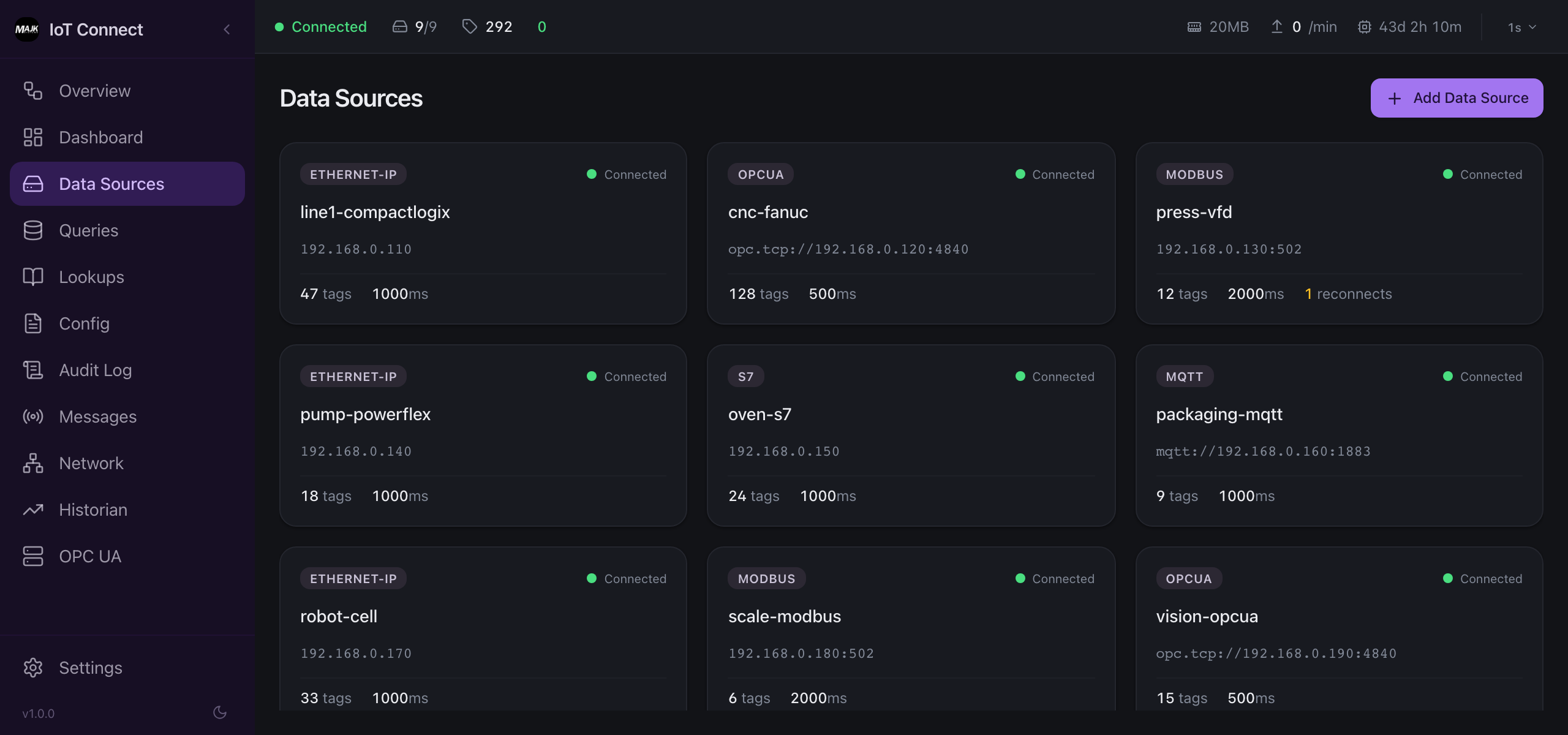
Connect every PLC
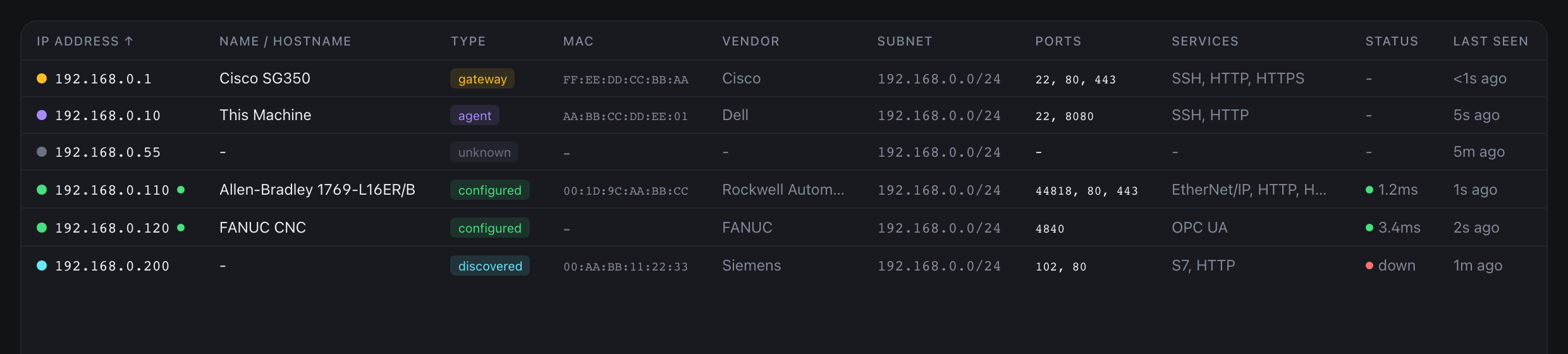
Point MAJiK IoT Connect at your network and it finds what is there: Allen-Bradley, FANUC, Siemens, and more. Broad protocol coverage is built into the agent, so there are no per-brand drivers to license, install, or keep up to date.
See all 21 protocols and data sources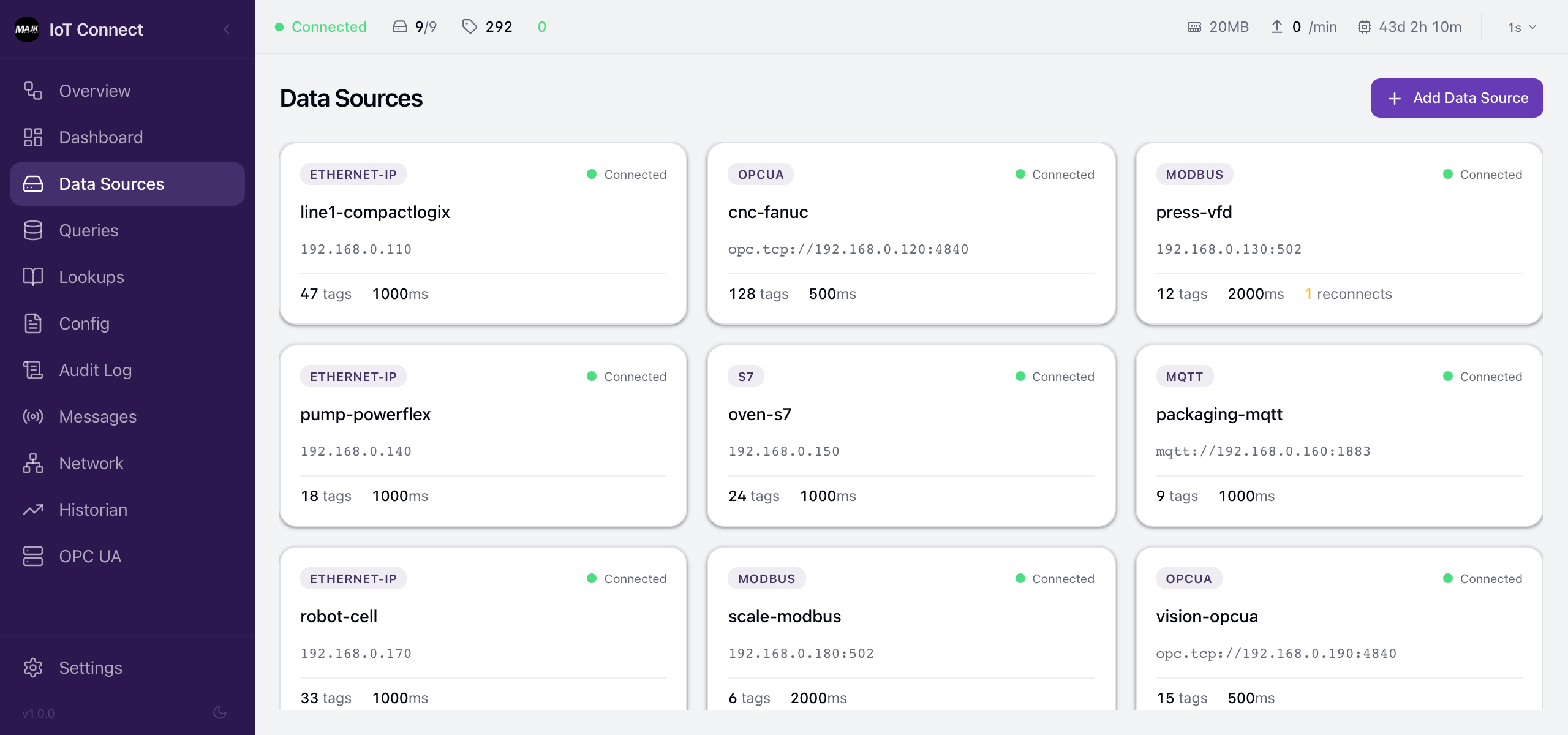
Everything in one download
The MQTT broker, OPC UA server, Sparkplug B publisher, cloud bridge, and historian all run inside one agent: a single program file, what engineers call a binary. No Java, no Docker, no separate gateway server to assemble or maintain. It runs the same on Windows, Linux, and macOS, so it is far simpler and faster to install and keep running.
Clean, contextual data
Clean data, managed your way. Raw PLC registers become typed, named values with units and quality, scaled and state-mapped by over 20 built-in edge transforms, tagged with the equipment and site they belong to, and auto-classified by downtime reason, all before they leave your network. What publishes is data people can actually use.
See how it worksOne tag, transformed
Raw PLC register
DB10.DBW28 = 7242Publishes Messages
spBv1.0/NorthPlant/DDATA/edge-01/oven-1Zone1/Temperature = 72.42 °CNothing fails silently
Every agent, connection, and endpoint reports its own health over OpenTelemetry, so a stale tag or a dropped link surfaces before it reaches a dashboard. Pipe the same telemetry into Grafana, Datadog, Prometheus, or any OpenTelemetry backend.
How the agent uses OpenTelemetry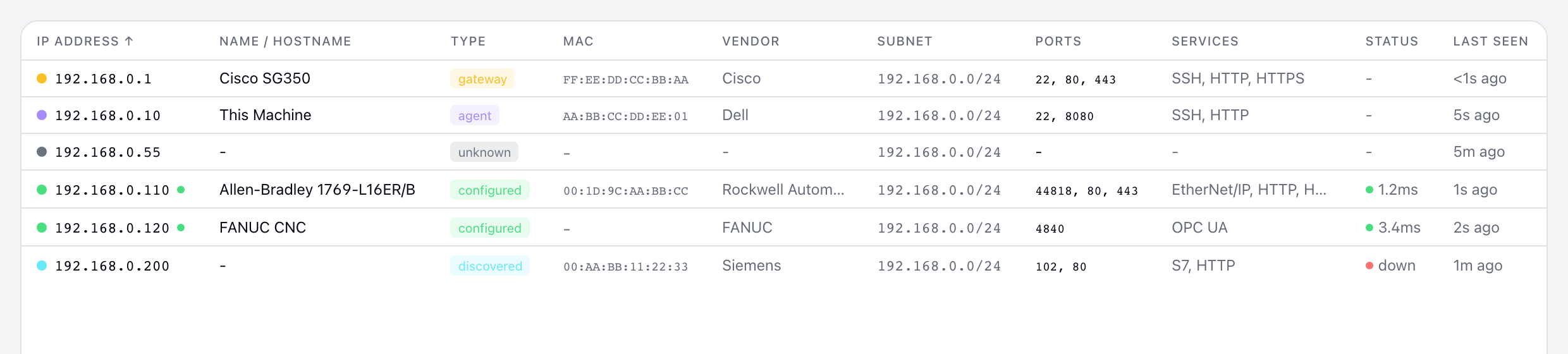
Native Protocol Support
Coverage for everything on your shop floor, from PLCs and CNC controls to sensors and building systems. Not adapters or middleware: each protocol is implemented natively in the agent binary with zero external dependencies.
| Protocol | Supported Equipment | Read | Browse | Subscribe |
|---|---|---|---|---|
| PLC & Automation | ||||
| OPC UA | Kepware, Ignition, Siemens, Beckhoff, B&R | |||
| EtherNet/IP | Allen-Bradley CompactLogix, ControlLogix, GuardLogix, Micro800 | — | ||
| Siemens S7 | S7-1200, S7-1500, S7-300, S7-400 | — | — | |
| Modbus TCP | VFDs, power meters, temperature controllers, sensors | — | — | |
| Beckhoff ADS | TwinCAT 2 and 3 controllers | — | ||
| SLMP / MELSEC | Mitsubishi iQ-R, iQ-F, Q series | — | ||
| PCCC / DF1 | Allen-Bradley MicroLogix, SLC 500, PLC-5 | — | — | |
| CIP Explicit | Allen-Bradley drives, VFDs, and robots via direct MSG reads | — | ||
| CNC & Machine Tools | ||||
| MTConnect | Mazak, Okuma, Haas, Fanuc CNC machines | — | ||
| FOCAS | Fanuc CNC controls | — | ||
| LSV2 | Heidenhain TNC controls | — | ||
| Molding & Plastics | ||||
| EUROMAP 63 | Engel, Arburg, KraussMaffei | — | ||
| Building Automation | ||||
| BACnet/IP | AHUs, chillers, boilers, VAV boxes, BTU and energy meters, plant building systems | — | ||
| Fastening & Torque | ||||
| Open Protocol | Atlas Copco, Desoutter, Bosch Rexroth, and other tightening controllers | — | ||
| Weighing & Scales | ||||
| ASCII Scales | Mettler Toledo (MT-SICS, Continuous), Sartorius SBI, A&D, SMA, generic ASCII via Moxa/Lantronix serial servers | |||
| Messaging & Data | ||||
| MQTT | Any MQTT publisher, IoT gateways | — | ||
| HTTP / REST | Any REST API, JSON endpoints, webhooks | — | — | |
| SQL | PostgreSQL, SQL Server, MySQL, MariaDB, historians | — | ||
| ODBC | IBM Db2 for i on AS/400 (JD Edwards World, Infor XA), Progress OpenEdge (QAD, Datacor), Actian Zen (Pervasive), Sybase, Informix, driver-only ERPs and historians | — | — | |
| Files | Parquet, CSV, and JSON files | — | ||
| IO-Link | IFM, Balluff IO-Link masters | — | — | |
Every protocol reads live values. Browse discovers tags without a manual list; Subscribe pushes changes instead of polling.
It also runs ping, TCP, and HTTP checks for infrastructure health.
Running something you do not see here? Ask us what it takes to connect it.
Not sure how to connect your equipment?
Start with a short conversation. We will look at what you run and give you a simple plan for bringing your machines online.
Talk through your setupReplacing something?
How MAJiK IoT Connect compares to the tools teams reach for today.
Built for IT and OT security
Outbound-only connections, read-only PLC access, and encrypted transport with a unique per-agent identity, so MAJiK IoT Connect fits the policies IT and OT teams already enforce.
Questions IT and controls teams ask
What operating systems and hardware does it run on?
Does it run on Windows?
Do I need Java or a separate gateway server?
Can I run it in Docker?
You can, but you usually do not need to. The agent is a single self-updating binary with no runtime dependencies: it installs as a service and restarts and updates itself in place, so there is no image to pull and nothing to orchestrate.
The difference shows up on Windows. Docker Desktop runs the container inside a Linux VM, so it sits a layer away from your OT network. If that Windows host is itself a VM on VMware vSphere, you end up reaching your PLCs through a container, inside a Linux VM, inside a Windows VM. The networking gets complicated and fragile, and often needs promiscuous mode enabled on the ESXi virtual switch, which many security teams leave off. Running natively as a Windows service avoids all of that and reaches the network directly.
On Linux, Docker is fully supported, with a published image and a Compose file.
When a single node is not enough, MAJiK IoT Connect also runs as a high-availability Kubernetes cluster, with one node per plant area collecting its own equipment and standing in for the others on automatic failover. See how the cluster works.
What happens if the broker or network slows down? Will I lose data?
How do I install it, and is it secure?
How do I manage agents across multiple sites?
Which protocols are supported?
Can it run on-premise or air-gapped?
Will it write to my PLCs?
Want the technical detail? See how MAJiK IoT Connect works.
“We are definitely benefiting from having access to accurate, real-time and historical machine information presented quickly and easily.”
Jeroen Ahsmann, Production Engineering, Blount International
Manufacturing AUTOMATION